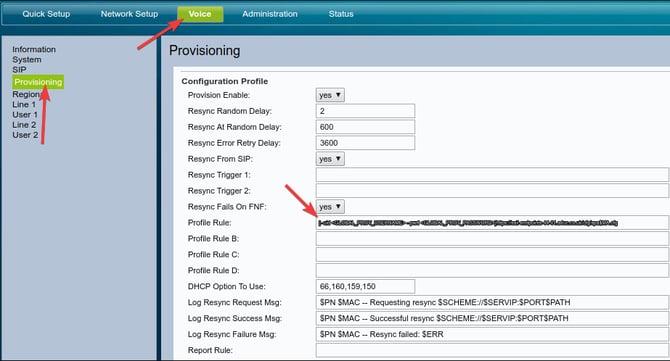
To provision a Cisco SPA phone, after you have added the MAC to the phones tab on the portal, navigate to the phone's web interface then click on "voice" -> "provisioning", and set the profile rule to:
[--uid <GLOBAL_PROV_USERNAME> --pwd <GLOBAL_PROV_PASSWORD>]https://sail-endpoints.a4uc.co.uk/cfg/spa$MA.cfg
NOTE: If you do not know what the Global Prov Username and Password are, please raise a ticket to our support team.
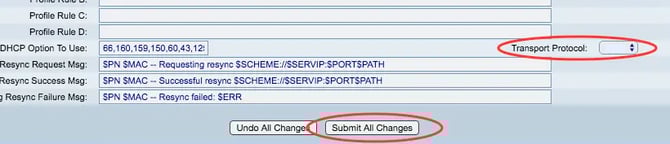
Then set the "Transport Protocol" to "none". Once done click "Submit" at the bottom of the page.